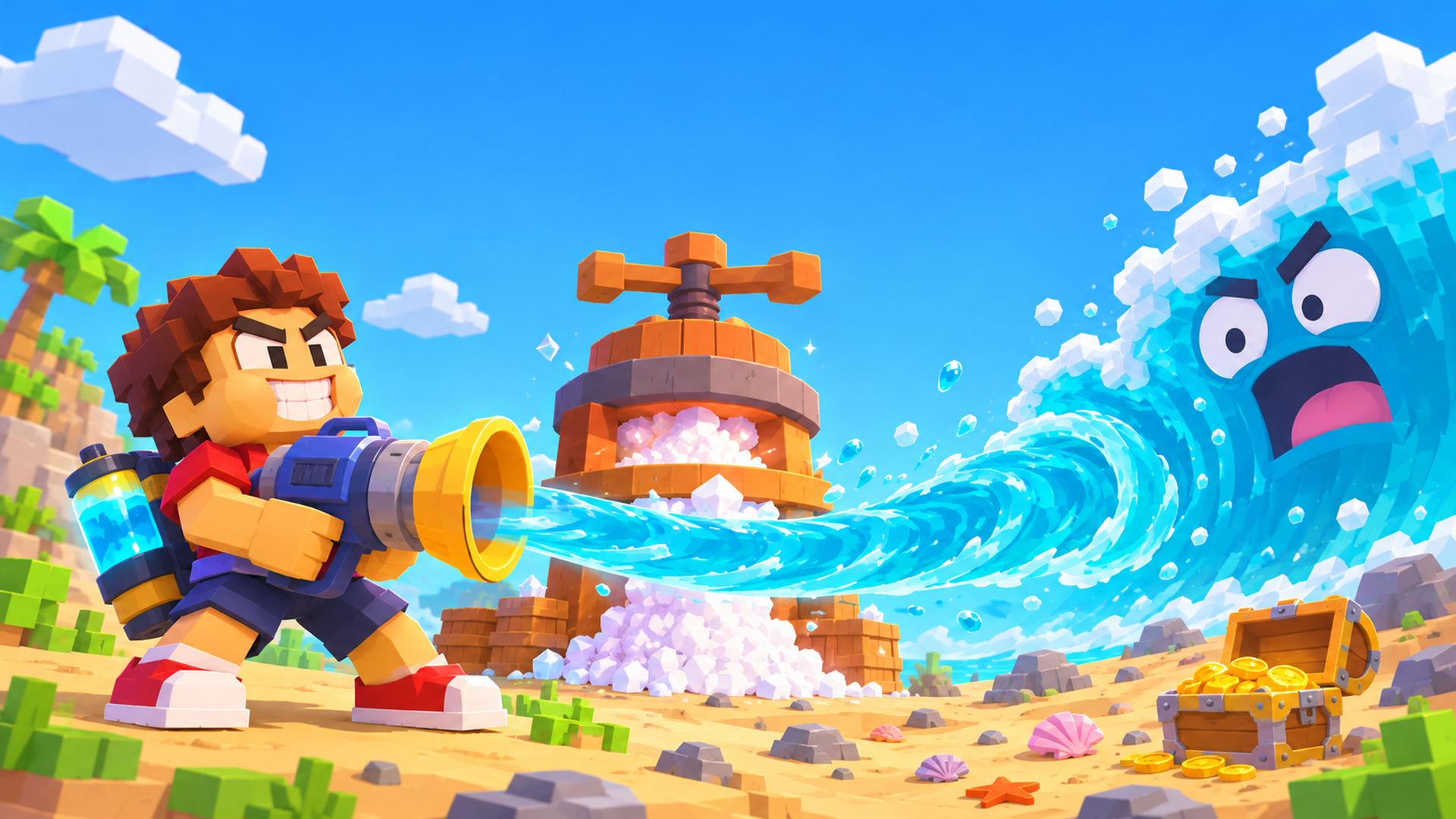
Quick answer: Drink the Ocean is a free first-person voxel game that runs in your browser. You drink the sea through a straw, press what you swallowed into salt, and spend the salt on a bigger belly and better straws — the water level really drops as you drink. Developed by Pinidi Studio, published by Playgama. No download, no account.
What is Drink the Ocean?
It is a first-person voxel game about doing the one thing sailors are told never to do: drinking the sea. You start with a plastic straw, a stomach the size of a teacup, and the whole ocean in front of you. Every swallow actually lowers the water level. Nothing refills behind you, so the shoreline pulls back, the reef tops come out of the water and the seabed slowly rises to meet you.
A full run is one short loop repeated at a bigger and bigger scale: drink, squeeze what you drank into salt, buy an upgrade, go back for more. There is no story to follow and no map to unlock — the shrinking sea is the whole progress bar.
How to play Drink the Ocean
1. Drink the water
Walk out to water deep enough to cover the straw, aim at the surface and hold the drink input. The level drops while you swallow and your belly fills. Once it is full you cannot drink again until you sell, so that full belly is your cue to head back.
2. Press the water into salt
Take the full belly to PRESS. The water you carried turns into salt, and salt is the only money in the game. Everything you can buy is bought with it.
3. Spend the salt at the blue SHOP
The blue SHOP sells four upgrades: a bigger belly, more straws, a vacuum mouthpiece and a pocket vortex. None of them are cosmetic — each one lets you take more water out of the sea in a single trip. Our guide to the Drink the Ocean upgrades breaks down what each one does and which to buy first.
4. Watch the seabed come up
The shrinking ocean is the progress bar. As the level falls, things that were hidden start poking out of the water. They are the landmarks that tell you how far down you are, and there is nothing else on the map to hunt for.
5. Pull the plug
When you have drained it down to the bottom there is a plug. Pull it, the last of the sea goes out, and a different ocean fills the map. You do not restart the same beach — the next ocean is a stronger one, and you keep everything you bought in the last. The section on the plug further down covers what changes.
Keyboard and mouse
- WASD to walk
- Mouse to look around
- Hold the left mouse button to drink
- Space to jump
- 1 / 2 / 3 to switch tools
- E to open a duck gift
- T to go back to the island
- Tab to release the mouse cursor
- P for settings
- Hold the DRINK button to drink on a phone or tablet
Two of those are easy to miss on a first run. T takes you home instead of walking back, and Tab frees the cursor so you can reach the browser and the buttons around the player — without it the mouse stays captured by the game. That is ten controls in total, which is the whole list the publisher gives.
On a phone or tablet
The touch layout puts a DRINK button on the screen — hold it down to keep swallowing instead of clicking. Drag to look around and use the on-screen stick to walk. Landscape gives you the whole 3D view; if the picture looks cropped on a small screen, tap Fullscreen under the player and it will fill the display.
That is the whole loop. For the first run written out step by step — where to stand, when to stop drinking, and what each landmark means for how much water is left — read how to play Drink the Ocean.
Upgrades and how to spend salt
Every upgrade in the shop buys the same thing in different words: more water out of the sea per trip. What changes is where the bottleneck sits.
- Bigger belly. More room per swallow, so you can stay out in the water longer before walking back to PRESS. This is the upgrade that removes walking from your run.
- More straws. Extra straws raise how much you pull at once, which speeds up the fill itself rather than the trip.
- Vacuum mouthpiece. Pulls the water in faster, so the same belly fills in less time.
- Pocket vortex. The late-game option: it turns the volume of the whole loop up, and it is where the big salt numbers come from.
The order that works: capacity first, speed second. Early on the slowest part of a run is the walk between the shoreline and the press, and only belly size shortens that. Speed upgrades pay off afterwards, once there is more belly to fill. Leave the vacuum and the vortex until the first two are levelled instead of buying one level of each.
That is the short version. The full Drink the Ocean upgrades guide has the four lines one at a time, when each one is worth buying and when to skip it, the four stages of buying order, and the reason this page does not quote salt prices.
What appears as the water drops
Nothing in this game is unlocked from a menu, and there is no map to collect. The sea itself is the gate: the waterline falls, and something that was underwater an hour ago is suddenly standing in the flats in front of you.
- The wreck. A sunken boat comes up out of the retreating water, so you can walk to it instead of swimming over it.
- The whale bones. A ribcage standing in the open is the clearest single depth marker in the game — when it is above the waterline, you are well past halfway through that ocean.
- The sunken city. Streets and rooftops that were a flat blue surface early in the run end up as ground you can stand on.
- The plug. The drain sits at the very bottom. Pull it and the map refills with a different ocean.
None of that scenery is a collectible to chase. It is scenery, and the only thing worth chasing is salt: the landmarks matter because they tell you how much water is left, not because there is a reward hidden behind them. That is also why the fastest players never explore — they drink.
After the plug: new oceans, boons and achievements
Draining one ocean is the end of a level, not the end of the game. The publisher lists four oceans past the first — cola, lemonade, slime and lava — and describes the next one as stronger than the last. Each has its own colour and its own water level to work through, so the same loop starts again on new scenery with the belly and tools you already paid for.
Two more systems sit on top of the loop, and neither of them changes the four steps above:
- The Sky Duck and its boons. Duck gifts are scattered around the map, and E opens them. They give you a boon rather than salt, which makes them the only free progression in the game — if a route choice is a coin flip, take the way past the duck.
- Achievements. The publisher lists an achievement system alongside the game, so milestones are tracked as you work through the oceans. They are not upgrades: nothing on the achievement list makes the next ocean shorter, which is why this page keeps telling you to spend salt on the belly instead.
What stays the same in every ocean is the arithmetic — travel time against drinking time — and that is what the upgrades guide is built on.
The daily leaderboard
Runs are ranked on a daily board, and the board resets, so a good run is worth something today and nothing tomorrow. When this page was written the publisher's page showed roughly 49,900 players ranked for the day with a top score near 32,295 — read those as the scale of it, not as a target to beat.
You do not need a big number to get listed: any finished run puts a score on the board, so the first entry is free. The number worth watching is not the top of the list but your own last run — the board is the only place the game tells you whether that bigger belly actually made you faster.
Tips for drinking an ocean faster
Everything below comes straight from the game's own rules; nothing here is guesswork.
- Buy capacity before speed. The shop's early entries are belly size and extra straws. A bigger belly means fewer walks back to PRESS, and until you own that, walking is most of your run.
- Switch tools with 1, 2 and 3 instead of opening the settings screen every time. P is settings, not your tool wheel.
- Progress is not saved. A run lives in the browser tab, so do not reload the page or close it halfway — you will be back on the plastic straw with the sea full again.
- Follow the landmarks, not the map. The wreck, the whale bones and the sunken city only appear as the water drops, so the fastest read on your progress is how much of them you can see.
- Open the duck gifts. They sit around the map and E opens them; they hand you a boon rather than costing salt, so they are free progress.
Why players keep coming back
- The ocean really drains. This is not a static backdrop with a number ticking up — the water level is the visible result of everything you have drunk, and it never comes back during a run.
- Voxel art, readable at a glance. Blocks, flat colours and a bright horizon, so you can see the drop in the water from anywhere on the map.
- A new ocean every plug. Cola, lemonade, slime, lava — a different palette to drain next, which is what keeps the loop from feeling like the same beach twice.
- Short runs, short sessions. One ocean is a handful of minutes, which is why it works as a coffee-break game rather than something you have to book an evening for.
- No install, no signup. One page, one button, and the game is running.
Game details at a glance
- Developer: Pinidi Studio
- Publisher: Playgama — the player above is theirs, and their game page is the source every fact on this site is checked against.
- Released: November 2026
- Platforms: desktop, Android and iOS, in the browser
- Orientation: landscape
- Languages: 16 on the publisher's page, including English
- Rating: 4.5 out of 5 from 28 votes
- Price: free — no account, no install
Drink the Ocean FAQ
Can I play the Drink the Ocean game online without downloading it?
Yes — this page is the game. It loads in your browser from Playgama's player, so there is nothing to install, no account to create and no file to unzip. Bookmark this page and the next run is one click away.
Is the Drink the Ocean game free?
Yes. Playing it here costs nothing: no demo timer, no paywall and no signup to get past the first ocean.
Is Drink the Ocean on Steam?
Not as of this writing. There is no Steam store page, no confirmed release date and no price — the browser build published by Playgama is the only version there is, and it is the one running above. If a store release is announced it will be added here; until then, anything offering a download is not from the developer.
Is this the same game as the Roblox one?
No. A Roblox game called Drink The Ocean For Brainrots shares part of the name and turns up in the same searches, but it is a different game made by different people. The one on this page is the voxel incremental game from Pinidi Studio.
Does the Drink the Ocean game work on phones and tablets?
Yes. The game is built for desktop, mobile and tablet. On touch screens the controls become an on-screen stick plus a DRINK button you hold down.
Why does an ad play before the game starts?
The game is served from Playgama's player, and that player runs interstitial ads from time to time, so expect one around the first load. The ad comes from the publisher's side, not from this page, and it is placed at a pause point rather than in the middle of a drink. If one ever freezes the screen, reload the page — a run is not saved anyway, so nothing is lost.
Does it save my progress?
No. There is no save file, so a run only lasts as long as the tab is open. Plan to finish the ocean you started in one sitting.
What do I do after I pull the plug?
You start the next ocean with the upgrades you already own — cola, lemonade, slime or lava, and the publisher describes each new one as stronger than the last. Keep drinking, keep pressing, keep spending on the belly. The upgrades guide covers the order that still works in the later oceans.
How do I play it fullscreen?
Tap the Fullscreen button right under the player. On phones and tablets this also drops the browser chrome and tries to turn the game landscape.
The keyboard does nothing — what now?
Click once inside the game picture to give it focus. Keys go to the page rather than to the game until you do, and that is the most common reason WASD appears broken. If the mouse is stuck captured afterwards, press Tab to release it; on a laptop trackpad, hold the button down instead of tapping.
Who made the game?
Drink the Ocean is developed by Pinidi Studio and published by Playgama.
The game will not load — what now?
Reload the page first, then check whether an ad blocker or privacy extension is blocking playgama.com, since that is where the game is served from. A different browser usually fixes the rest. If it still will not start, leave a note in the comments below and we will look at it.
Before you start
The first minute is the slowest: a small belly, one straw, a lot of walking. It gets fast once the belly and straws are paid for, and the run only starts to look impressive after the water drops below the whale bones. If you want the first run spelled out before you press PLAY, open the step-by-step guide. And if you find a faster route to that first upgrade than buying capacity straight away, say so in the comments at the bottom of this page — the next player will read it.